Taming the RecordDataFormatter: A Fresh Look and an All-Config Strategy
The RecordDataFormatter is one of VuFind's most powerful components for controlling how it displays bibliographic metadata.. Over the years, it has evolved significantly, with much of its configuration moving out of PHP code and into an .ini configuration file. These are resources and slides from a presentation at WOLFcon2026. Thomas Wagener gave a fresh overview of the RecordDataFormatter's architecture and capabilities, including how to extend it to non-default record drivers such as EDS. I introduced a practical "all-config" strategy that moves every code-defined field specification into INI files (e.g., RecordDataFormatter/DefaultRecord.ini). That dramatically simplifies day-to-day management of display fields while preserving the ability to inject advanced logic—like custom multiFunction callbacks for authors and multi-line fields—through a thin PHP override layer.
Learning objectives from the session:
- Understand the RecordDataFormatter pipeline — how spec keys, field definitions, helper methods, and rendering templates work together to turn record driver data into displayed metadata.
- Apply the RecordDataFormatter to additional record drivers — learn techniques for reusing or adapting display specifications for non-default sources like EDS.
- Implement an all-config strategy — move field specifications out of PHP and into INI files by overriding PHP to return empty arrays, letting the INI file be the single source of truth.
Resources
Slide 1: Title Slide — WOLFcon 2026

I shared the presentation with Thomas Wagener from HeBIS. Thomas developed the RecordDataFormatter functionality in VuFind, and in his part of the presentation he showed how the functionality works and three ways to configure the display: through RecordDataFormatterFactory overrides, via Spec Plugins (introduced in VuFind 11), and INI configuration files. My part of the presentation followed Thomas', and I showed how to extend the RecordDataFormatter so all fields are defined in INI files.
Slide 20: Option 3-alternative: Use an All-INI Configuration
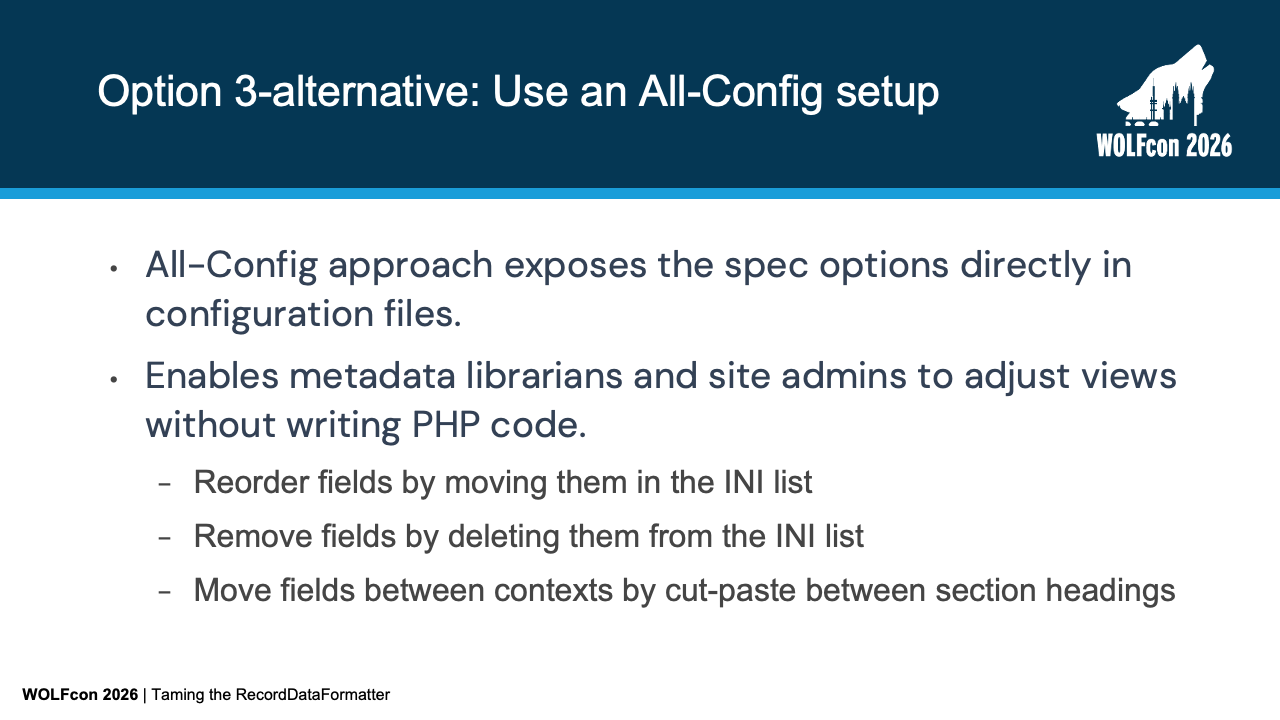
As Thomas showed, while PHP Spec Plugins and INI configurations give us significant control over RecordDataFormatter, there’s an alternative pattern that pushes this flexibility even further.
Instead of scattering field definitions across PHP classes or using INI files merely as overrides, the All-INI approach exposes all spec options directly in configuration files. There are two primary drivers here. As a hosting provider, much of our implementation process revolves around making VuFind match the needs of a library's collection, and that involves how fields are displayed. For libraries with only one VuFind installation, the primary driver may be empowering site administrators and metadata librarians. They can customize record views, reorder fields by adjusting the INI list sequence, or move fields between metadata contexts by cutting and pasting sections—all without editing or deploying PHP code. To understand how this works, let’s look at the basic anatomy of a RecordDataFormatter configuration file.
Slide 21: Anatomy of a RecordDataFormatter Configuration File
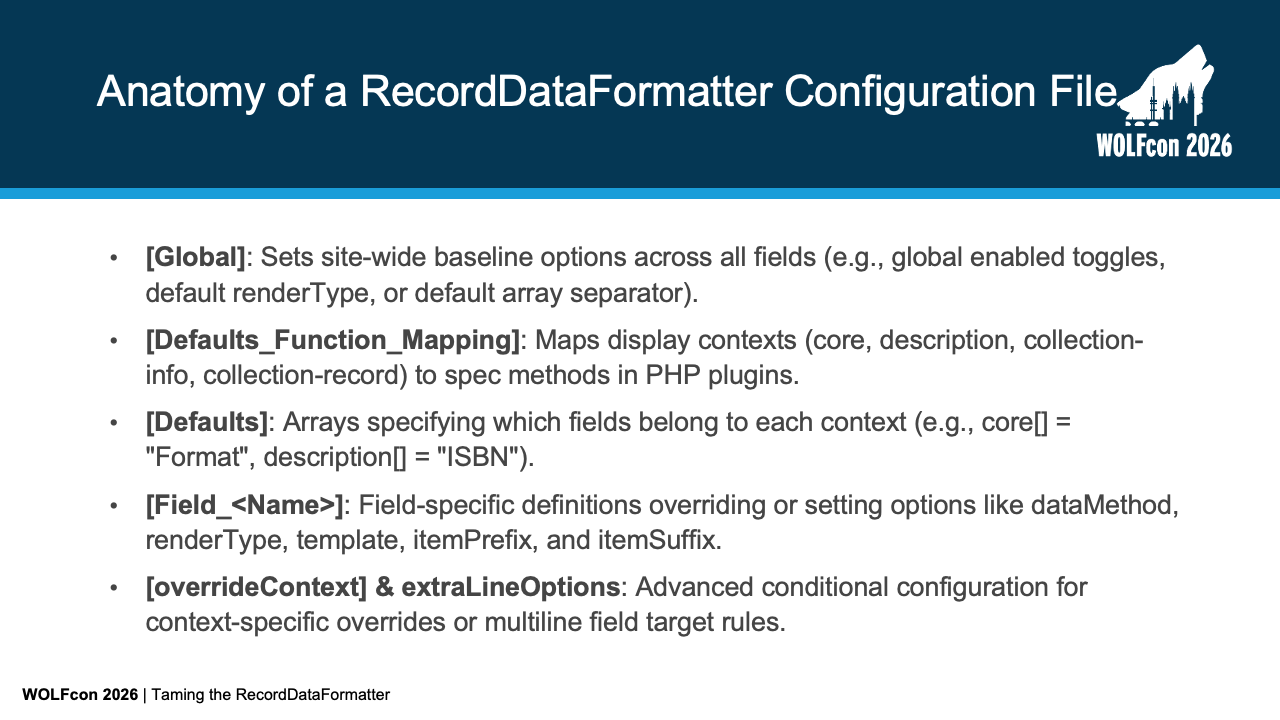
A standard configuration file breaks down into five distinct sections:
[Global]sets site-wide baseline defaults such as default separators or global display toggles.[Defaults_Function_Mapping]maps metadata contexts likecoreordescriptionto default spec methods.[Defaults]explicitly lists which fields belong to each section using arrays likecore[]ordescription[].[Field_<Name>]blocks define specific options for individual fields—such asdataMethod,renderType,template,itemPrefix, anditemSuffix.[overrideContext]andextraLineOptionshandle advanced conditional rendering rules.
Now, let's contrast this standard hybrid configuration against an all-INI strategy.
Slide 22: Standard Approach vs. All-INI Strategy
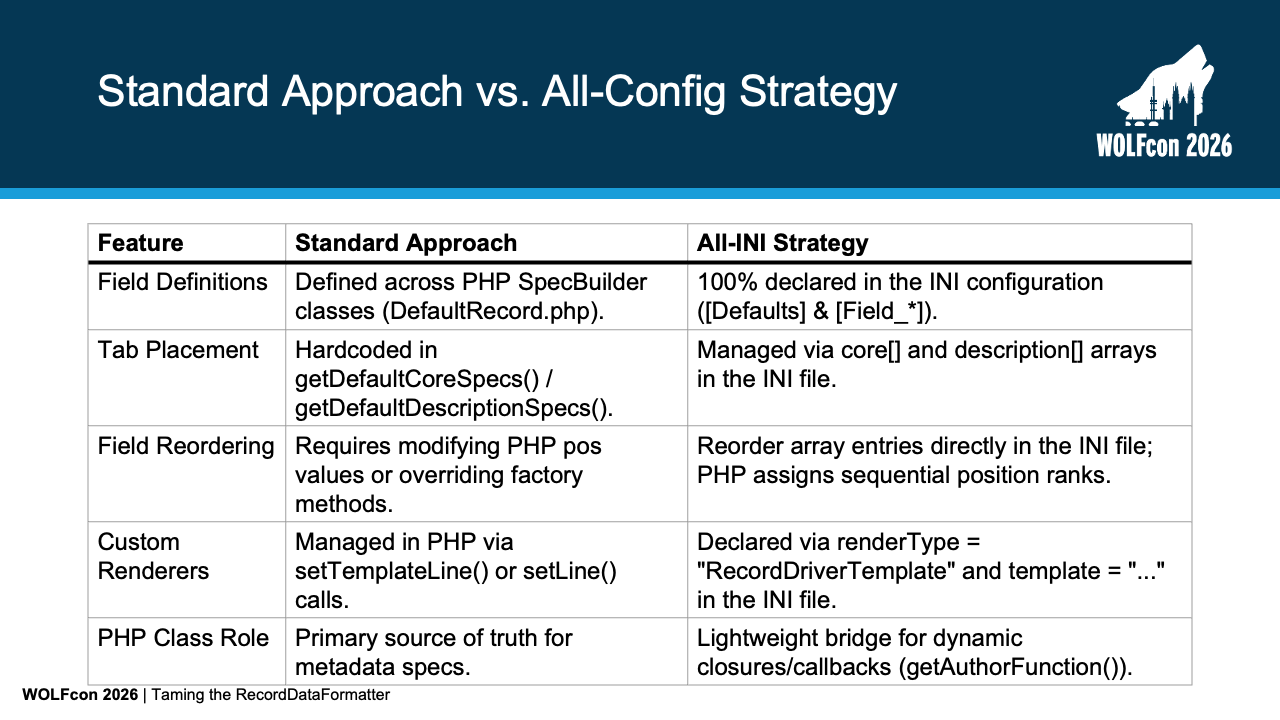
In the standard approach, PHP SpecBuilder classes like DefaultRecord.php remain the primary source of truth for metadata specs.
The placement of fields in the core context and description tab context are hardcoded in PHP methods, and field reordering requires calculating explicit pos values.
In the All-INI strategy, 100% of field definitions, context assignments, and render rules are declared in configuration files.
Instead of doing integer math for pos values, the sequential position is assigned based on the visual order of entries in the INI file.
The PHP class becomes a lightweight bridge for dynamic closures and other things that can't be specified in static INI configuration files.
Let's look at how this field-to-context assignment looks in practice.
Slide 23: Moving All Field Declarations into INI: Field-to-Context Assignment
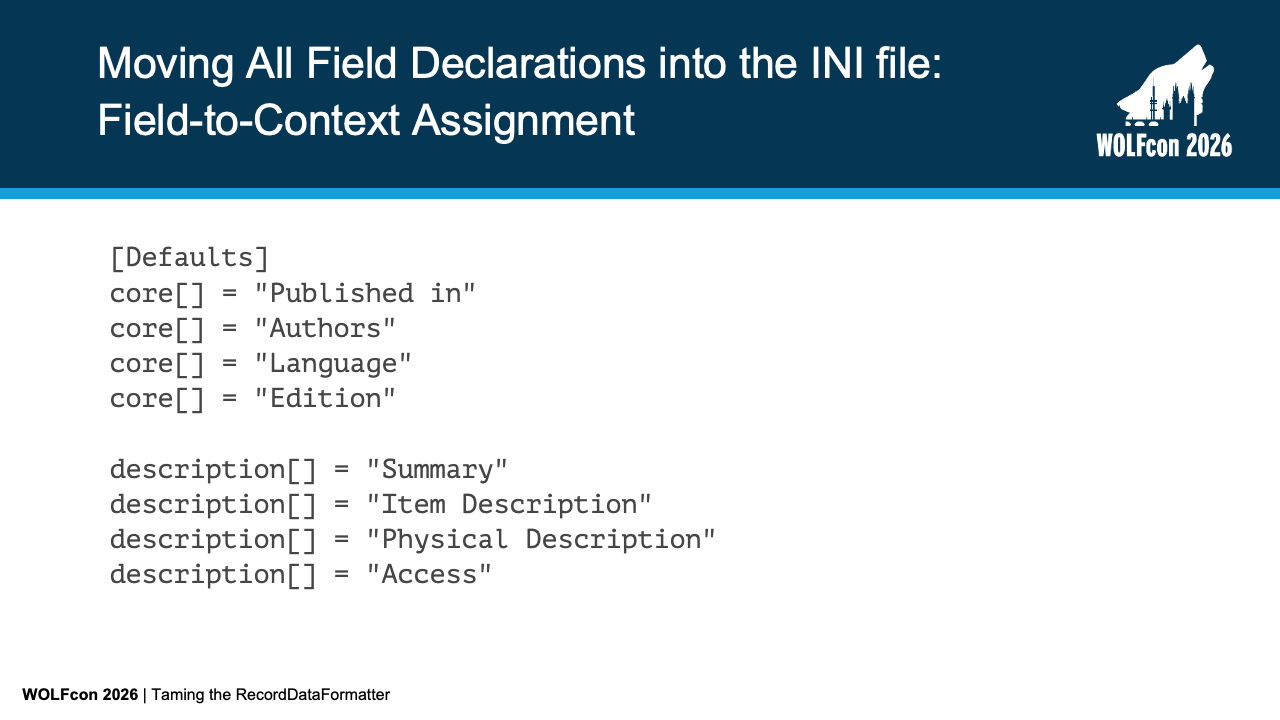
Here under [Defaults], we explicitly list every field for the core metadata display and the description tab.
In a couple of slides, you’ll see that we are removing the field definitions from the PHP methods; everything rendered on the interface is declared here in configuration.
Notice how Published in, Authors, Language, and Edition are grouped under core[].
At the same time, Summary, Item Description, and Access reside under description[].
Once the fields are assigned to contexts, we configure their formatting rules.
Slide 24: Moving All Field Declarations into INI: Field Definitions

Each field is given its own [Field_*] configuration section.
If you've defined new fields using the INI file, this likely looks familiar.
With the All-INI approach, we define all fields in the field configuration section.
For a basic field like Access, we simply declare dataMethod = "getAccessRestrictions".
For complex fields like Published in, we specify dataMethod = "getContainerTitle", renderType = "RecordDriverTemplate", and point directly to the template data-containerTitle.phtml.
We can also handle Microdata inline, as shown in [Field_Edition], where we wrap values with Microdata spans using itemPrefix and itemSuffix.
This explicit structure dramatically simplifies day-to-day administrative tasks.
Slide 25: Simplifying Reordering & Tab Transfers
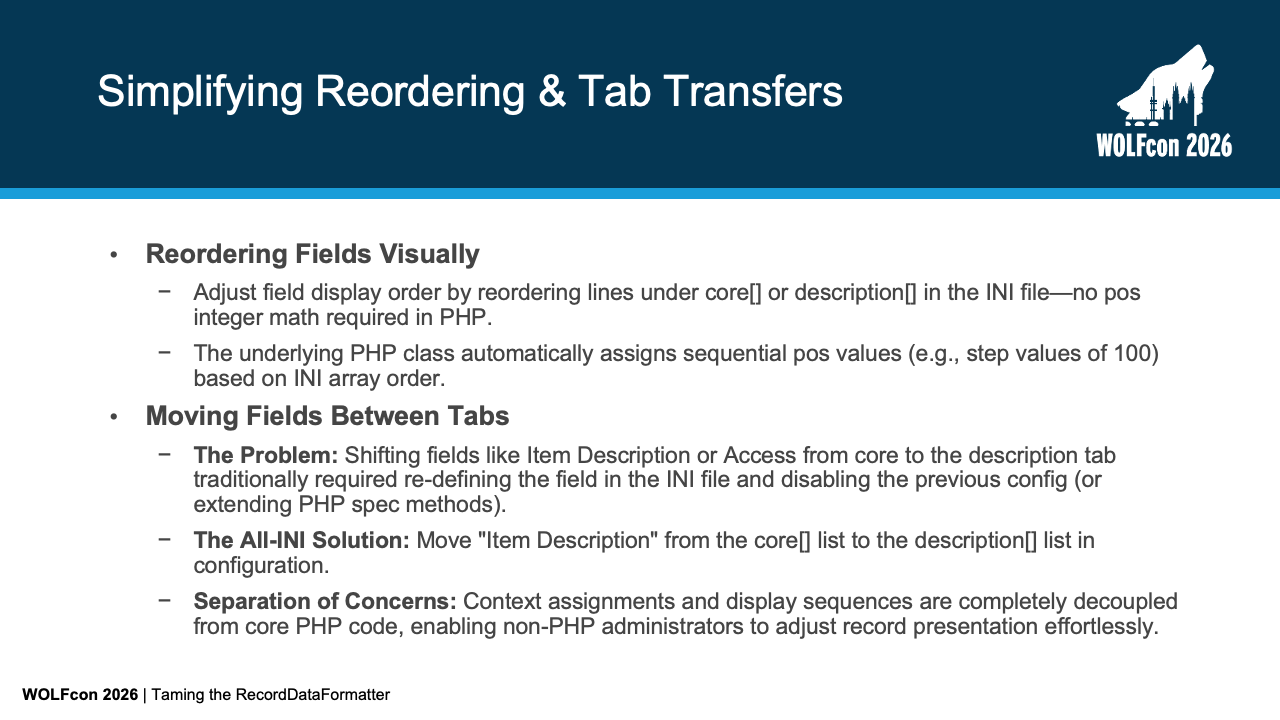
Consider how much simpler routine maintenance becomes:
- To reorder fields visually, you move lines up or down in the INI file—the underlying PHP bridge automatically re-sequences
posvalues in increments of 100. - To move a field like
Item DescriptionorAccessfrom thecoresection to thedescriptiontab, you don't need to extend PHP spec methods—you move the field string from thecore[]list to thedescription[]list in INI.
This achieves true separation of concerns between code logic and display presentation. To make this work, we use a custom PHP class that acts as a lightweight bridge.
Slide 26: The Lightweight PHP Bridge (DefaultRecord.php Override) – Zeroing Core PHP Specs
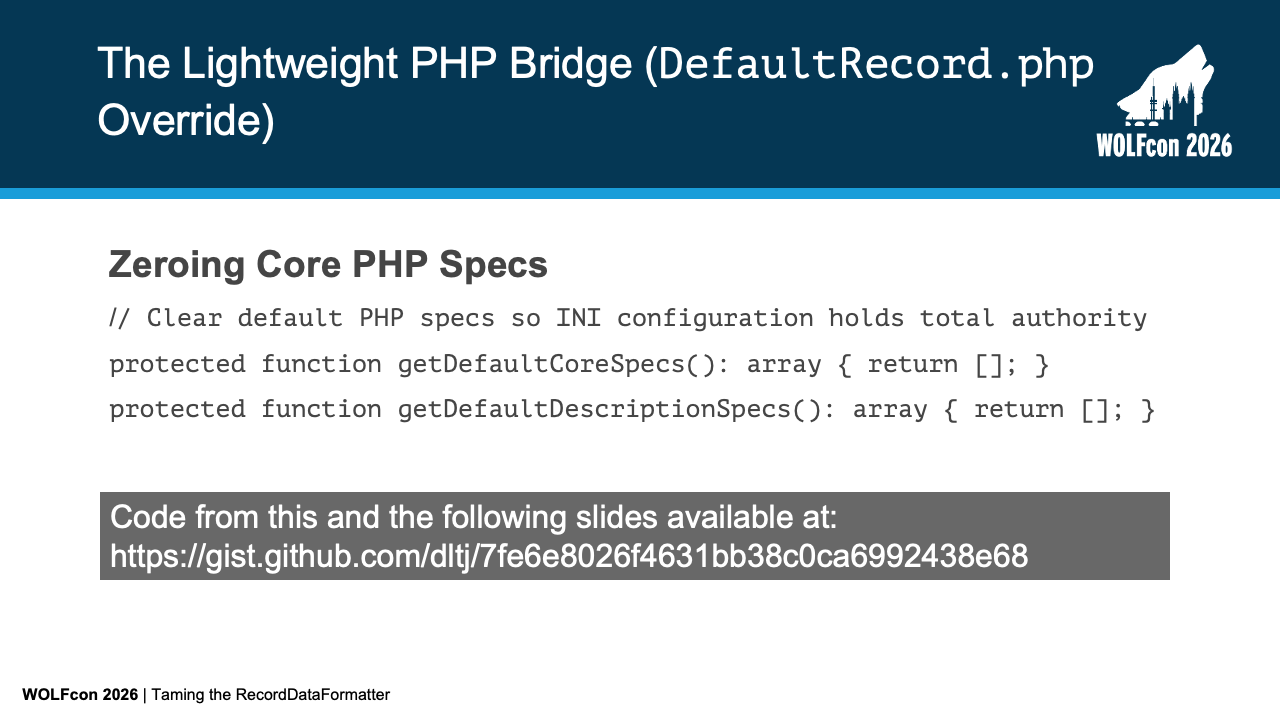
To get the all-INI option to work, we do have to do some PHP code.
All code shown on this and the following slides is published in at the Gist in the resources section above.
To hand total authority over to the INI configuration files, our custom DefaultRecord.php class overrides getDefaultCoreSpecs() and getDefaultDescriptionSpecs() to return empty arrays.
By clearing out the hardcoded PHP specs, VuFind relies entirely on what is declared in configuration.
Next, let's see how this bridge class automatically assigns positions and attaches dynamic callbacks.
Slide 27: Attaching Dynamic Callbacks & Fallbacks (Part 1 of 2)
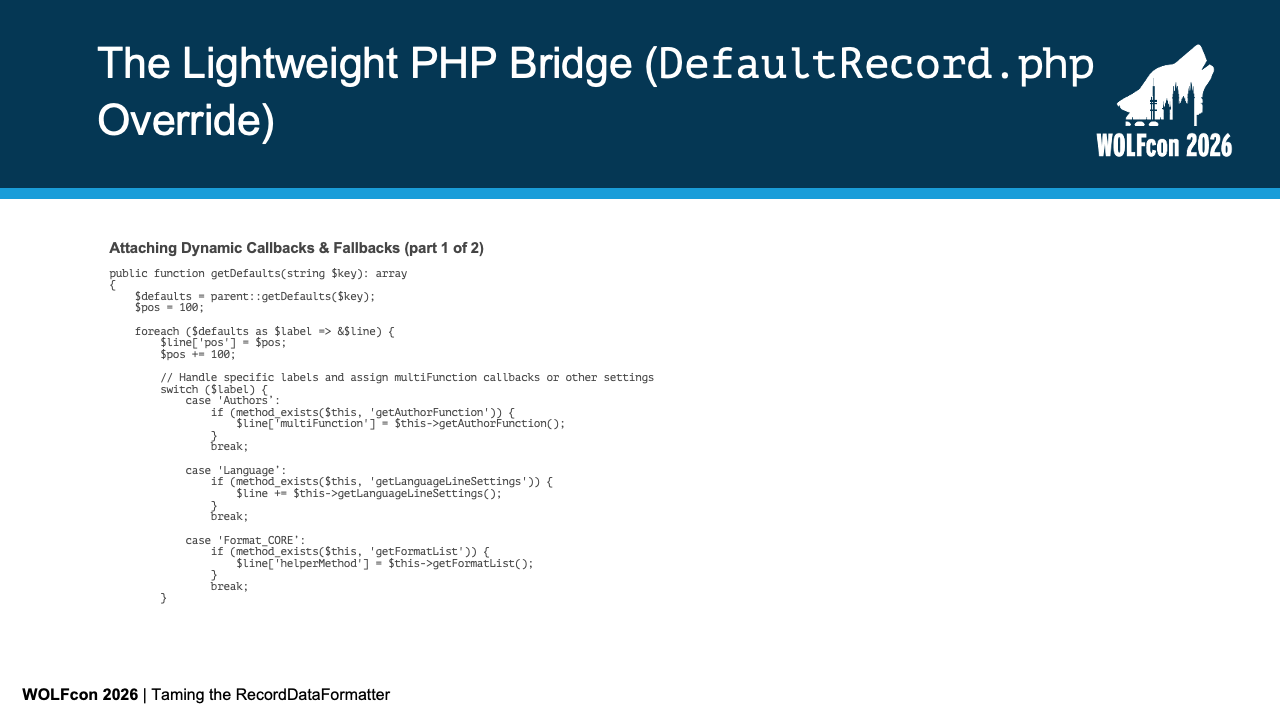
In getDefaults(), we iterate through the field specifications parsed from INI.
First, we automatically assign sequential $pos values starting at 100, incrementing by 100 for each field to respect the exact visual order in the INI file.
Second, for complex fields requiring dynamic PHP logic—like Authors, Language, or helper methods for Format_CORE—we attach the corresponding PHP closure callbacks.
We also include fallback handling for multi-line fields and data type normalization.
Slide 28: Attaching Dynamic Callbacks & Fallbacks (Part 2 of 2)
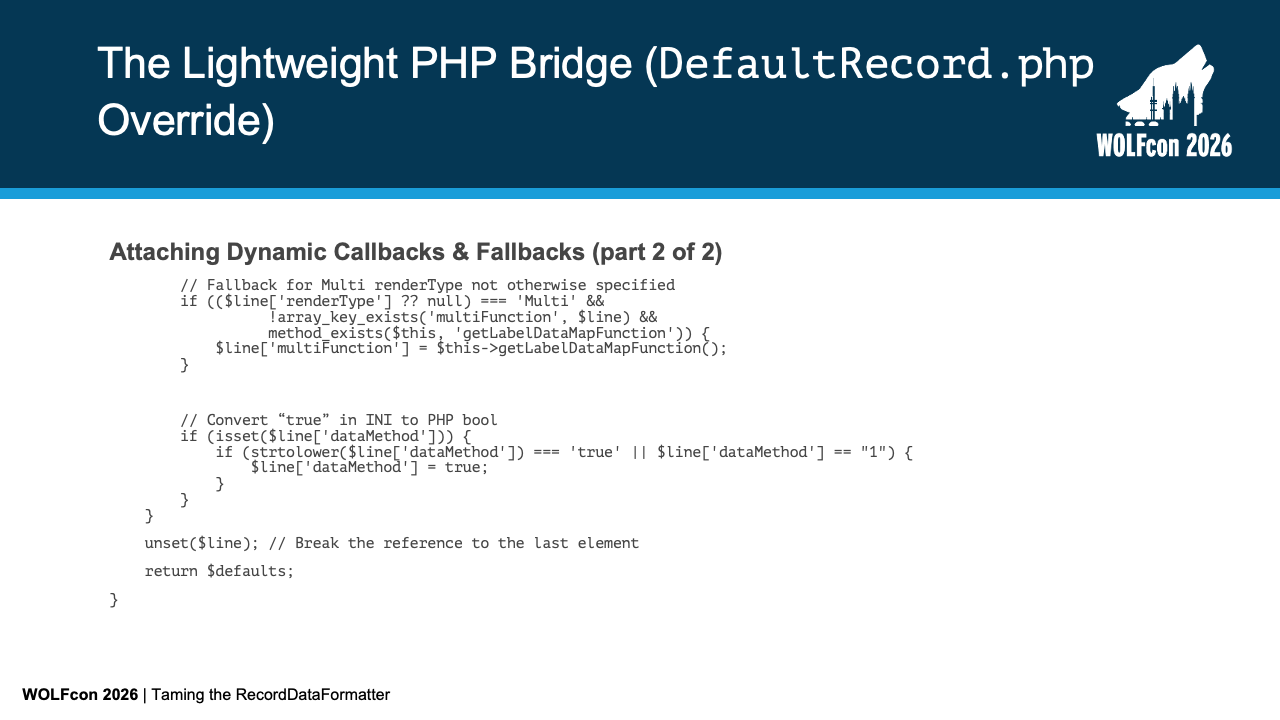
If a field specifies renderType = 'Multi' in the INI without a custom multiFunction parameter, our bridge automatically attaches a default getLabelDataMapFunction() callback.
We also handle INI-to-PHP string normalization: if dataMethod is parsed as the string "true", we cast it to a boolean true so template-only renders function correctly.
Let's examine that multi-line label-data processing function.
Slide 29: Callback Function for Processing Label-Data Pairs
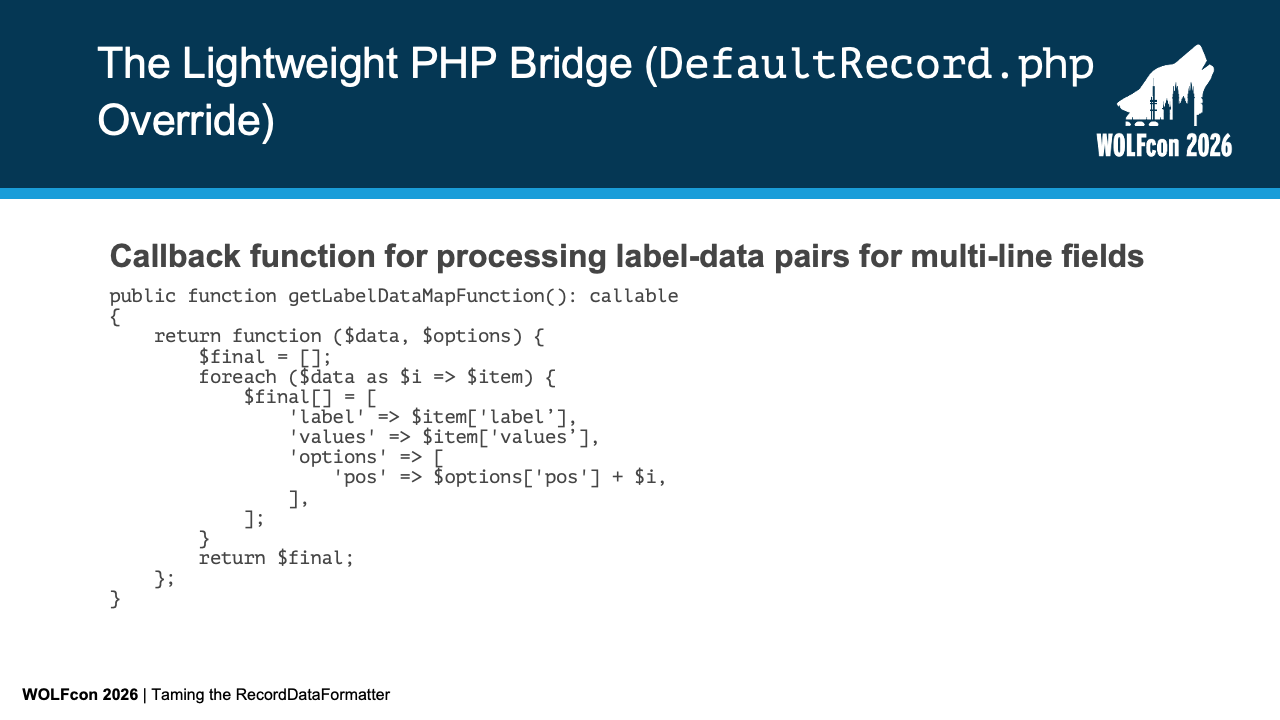
The getLabelDataMapFunction() method returns a callable closure designed for multi-line fields.
It iterates over raw record driver data arrays, extracts label and value pairs, and sets sub-positioning options ($options['pos'] + $i) for each rendered line.
This ensures multi-line fields render with predictable sub-sorting without cluttering configuration syntax.
Finally, there is one small translation detail to handle when defining context-specific fields.
Slide 30: Translation File Additions
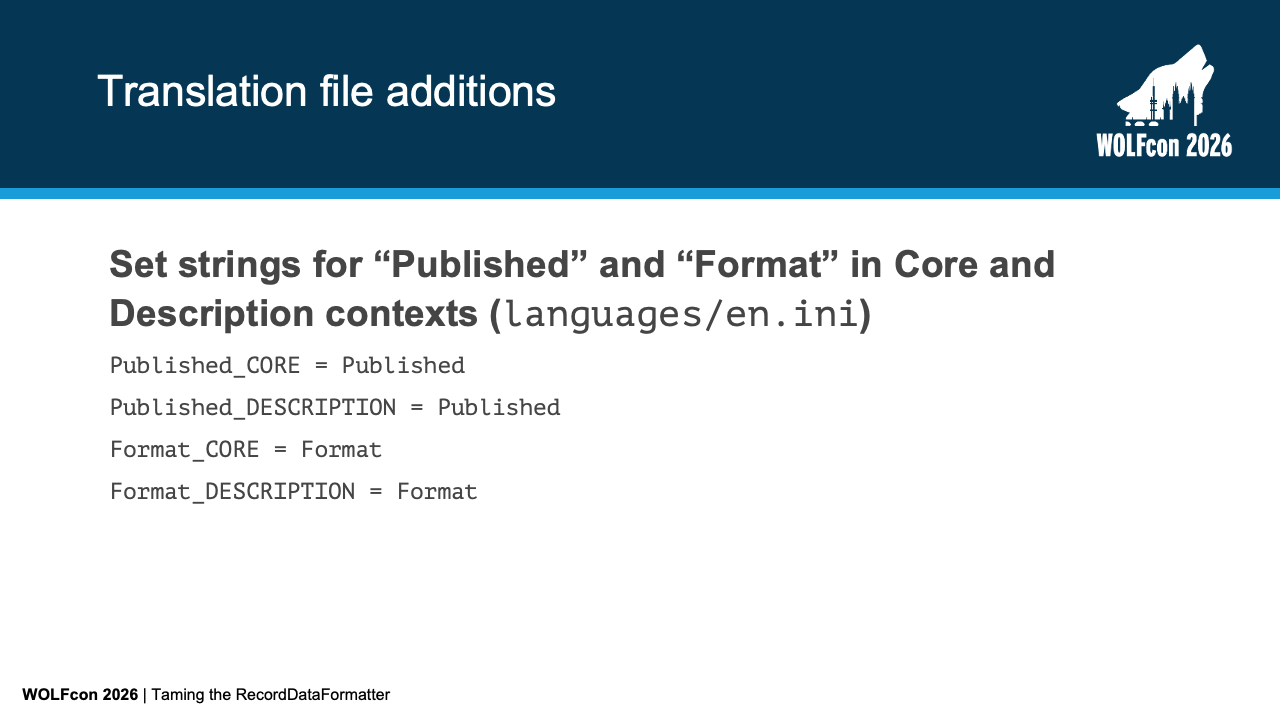
It wasn't until I got into this work that I realized that both the core context and the description tab context have fields labeled "Format" and "Published".
This is a problem when we create our field definitions in the INI file — how does the RecordDataFormatter class know when we are referring to the field definition that is traditionally in the "Core" context versus the one that is traditionally in the "Description" tab context.
We do that by putting suffixes on the field names when we list them in the defaults and when we define them in the field definition section.
That solves our disambiguation problem in the configuration, but we also want both to display standard, user-friendly labels on the screen.
In languages/en.ini, we map both contextual keys to their clean display labels: Published_CORE = Published and Published_DESCRIPTION = Published.
This preserves clean, distinct keys in configuration while maintaining uniform presentation for patrons.
Let's summarize everything we've covered today and look at where this model can go.
Slide 31: In Summary...
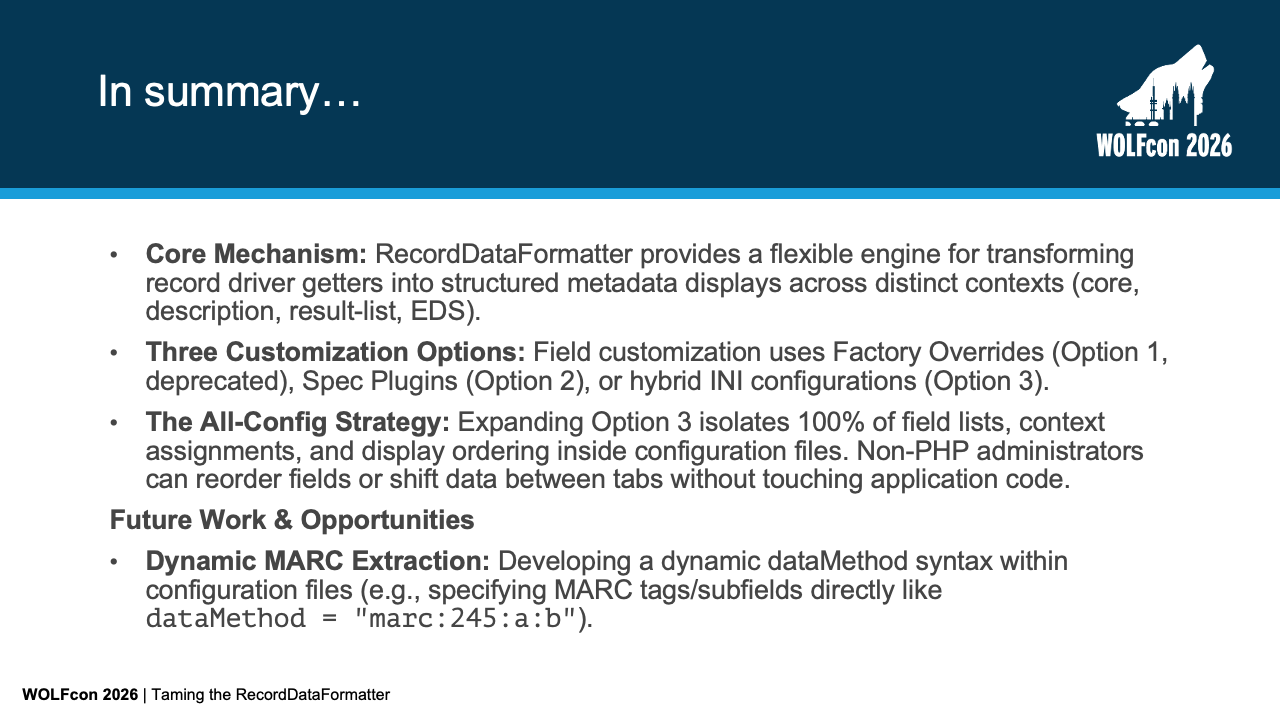
To recap: RecordDataFormatter provides a powerful engine for transforming record driver getters into structured metadata displays across contexts like core, description, result lists, and EDS.
Thomas showed how to customize the display with factory overrides, Spec plugins, or hybrid INI configurations.
The All-INI strategy expands configuration to 100% of field lists, context assignments, and ordering.
Looking ahead, a future direction for this work could be dynamic MARC field extraction.
By developing a dynamic dataMethod syntax directly in configuration—such as dataMethod = "marc:245:a:b"—we could eliminate the need to write custom MARC getter methods in PHP modules entirely.